

讯飞智作
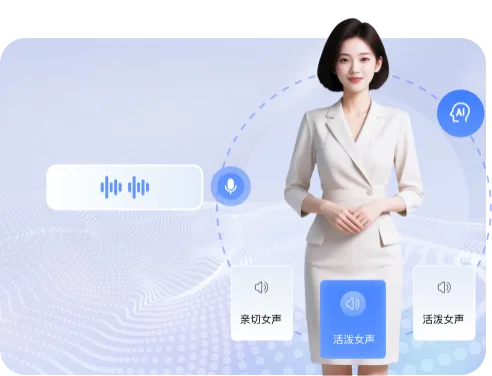
科大讯飞A one-stop voiceover platform for synthesizing ultra-realistic speech from text and generating digital human videos
An AI-powered video subtitle and transcript creation tool built around speech-to-text, quickly generating timecoded subtitles.
Tingjian Zimu (iFlytek Subtitle) is a subtitle and transcript creation software built on iFLYTEK's speech processing technology. After importing an audio or video file, it automatically splits the timeline and generates timecoded subtitles. According to official information, subtitles for 1 hours of audio/video can be obtained in about 5 minutes. It supports exporting SRT/ASS/XML formats and integrates with NLE software such as Premiere and Final Cut Pro. It also offers subtitle timecode matching, audio-to-transcript conversion, filler word filtering, keyword optimization, and sensitive word alerts, making it suitable for video post-production staff, short-video creators, and education/training scenarios.
Video post-production staff, short-video creators (VLOG), education and training/online course creators, media industry professionals, and others who need to quickly add subtitles to audio and video.
Prepare the audio/video materials that need subtitles or transcripts.
Open the Tingjian Zimu product page and log in to your account.
Select the subtitle creation or transcript creation function and import your audio/video file.
Enable filler word filtering as needed, or enter keywords or sensitive words to optimize transcription results.
Wait for the system to generate timecoded subtitles or transcripts.
Edit the text to complete proofreading, and use audio-text linked editing to trim audio if needed.
Export subtitles in SRT/ASS/XML formats and import them into NLE software such as Premiere or Final Cut Pro for further production.
The source is the Tingjian official website news page, which provides entry points for machine fast transcription (Chinese, English, Japanese, Korean, dialects) and human refined transcription (Chinese and English), but the article itself does not specify account, region, device, or billing restrictions for Tingjian Zimu; for specific usage conditions and pricing, check the product page or contact official customer service (the phone number listed on the page is 4000-199-199).
费用与套餐:以官网当前说明为准,本站不提供套餐价格保证。
A one-stop voiceover platform for synthesizing ultra-realistic speech from text and generating digital human videos
A smart meeting notes tool that transcribes meeting recordings into text in real time, automatically distinguishes speakers, and generates summaries, translations, and task lists.
Quickly transcribe recorded audio up to 5 hours via HTTP API into timestamped text with speaker information.
Transcribe continuous audio streams into text in real time via a WebSocket interface, with translation and speaker separation support