

讯飞智作
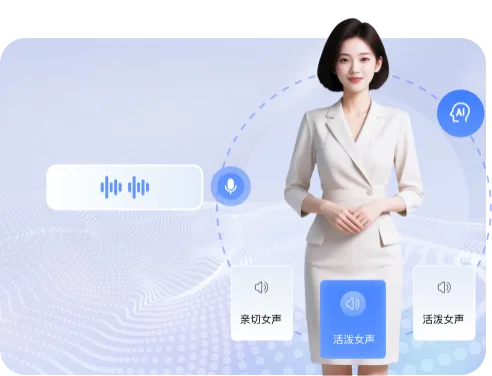
科大讯飞A one-stop voiceover platform for synthesizing ultra-realistic speech from text and generating digital human videos
Converts meeting speech to text in real time and automatically generates organized meeting minutes reports.
iFlytek Tingjian Huiji is based on iFLYTEK's speech recognition technology. It takes audio from scenarios such as meetings, livestreams, classes, or interviews and outputs real-time transcription text as well as automatically organized and edited meeting minutes reports. Officially, transcription accuracy for clear, well-articulated Mandarin can reach 98%, with the ability to recognize different accents, speaking speeds, and intonation. Available access points include the Web version, PC client, and WeChat mini-program; the Web version only supports external recording (microphone audio), so internal recording (speaker audio) requires the PC client. Suitable for office workers who need quick meeting minutes.
Office workers, students, and content creators who need meeting minutes, class notes, interview research, or livestream transcripts.
Log in to the official iFlytek Tingjian website on the Web and click “Huiji” to enter the feature.
If you need to record the computer's internal audio, first download the PC client from the bottom-left corner of the Huiji page, the official Huiji introduction page, or the “Multi-Device Experience” section, then use the “Transcribe to Text” entry in the client.
If using the mini-program, search for “iFlytek Tingjian Voice Recording Transcription” and click “Real-Time Recording Transcription” to start.
Once recording begins, speech content is converted to text in real time.
When finished, review the automatically organized and edited meeting minutes report.
The Web version only supports external recording, while the PC client supports both internal and external recording; if internal recording is needed, download the PC client. External recording refers to capturing sound picked up by the computer's microphone, while internal recording refers to capturing sound emitted by the computer's speakers. Billing methods, account requirements, and regional restrictions are not stated in the source and should be checked on the official website.
费用与套餐:以官网当前说明为准,本站不提供套餐价格保证。
A one-stop voiceover platform for synthesizing ultra-realistic speech from text and generating digital human videos
A smart meeting notes tool that transcribes meeting recordings into text in real time, automatically distinguishes speakers, and generates summaries, translations, and task lists.
Quickly transcribe recorded audio up to 5 hours via HTTP API into timestamped text with speaker information.
Transcribe continuous audio streams into text in real time via a WebSocket interface, with translation and speaker separation support