

讯飞智作
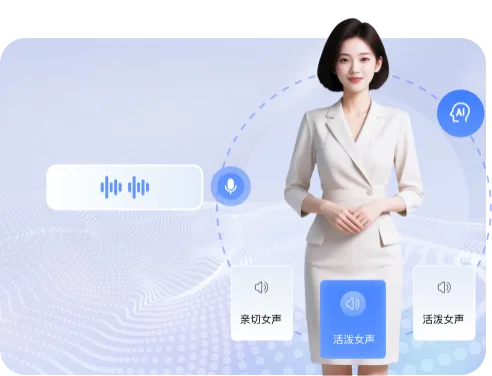
科大讯飞A one-stop voiceover platform for synthesizing ultra-realistic speech from text and generating digital human videos
A PC real-time speech-to-text tool with multi-language translation and meeting minutes generation.
iFlytek Tingjian PC client is designed for office meetings, lectures and presentations, media interviews, and writing tasks, offering real-time speech-to-text, multi-language translation, and external audio file transcription. Text results support speaker separation, intelligent paragraphing, synced audio-text editing, and key-point marking. Machine fast transcription turns 1 hours of audio into a transcript in 5-10 minutes; manual premium transcription is also available for higher accuracy. The product is certified by Trusted Cloud and is ideal for professionals, journalists and lawyers, teachers and students, and writers who need to record and organize voice content on a computer.
Key features fall into two categories: first, real-time speech transcription and translation, including real-time audio-to-text, multi-language real-time translation, AI meeting minutes (full-text summary, meeting highlights, action items), and a meeting assistant (speaking outlines, brainstorming, and other instant aids). Second, audio file transcription, offering both machine fast transcription and manual premium transcription, with support for connecting hardware such as iFlytek smart voice recorders/M2 to obtain text results. Core highlights include real-time subtitles and translation for video conferences, mixed Chinese-English recognition, automatic filler-word optimization, key-point marking, and integration with enterprise meeting systems. Official documentation states that 98% accuracy data is sourced from the Anhui Electronic Products Supervision and Inspection Institute; actual results vary with audio quality.
Professionals (meeting notes and minutes sharing), journalists and lawyers (interview and evidence recording transcription), teachers and students (lecture recording organization and translation), writers and scholars (capturing ideas by voice).
Launch the iFlytek Tingjian client on your computer and start recording with one click for real-time transcription and translation; use the key-point marking feature to highlight important content during meetings; generate AI meeting minutes from the transcript with one click after the meeting; apply speaker separation, intelligent paragraphing, and synced audio-text editing to the results; choose manual premium transcription or connect an iFlytek smart voice recorder/M2 for higher accuracy when needed; export and share once organized.
请核对官方的地区支持、数据政策和商用约定。
费用与套餐:以官网当前说明为准,本站不提供套餐价格保证。
A one-stop voiceover platform for synthesizing ultra-realistic speech from text and generating digital human videos
A smart meeting notes tool that transcribes meeting recordings into text in real time, automatically distinguishes speakers, and generates summaries, translations, and task lists.
Quickly transcribe recorded audio up to 5 hours via HTTP API into timestamped text with speaker information.
Transcribe continuous audio streams into text in real time via a WebSocket interface, with translation and speaker separation support