AgentKit API
火山引擎Call the Volcano Engine AgentKit agent API and get a conversational agent with tool calling and memory running in 30 minutes.
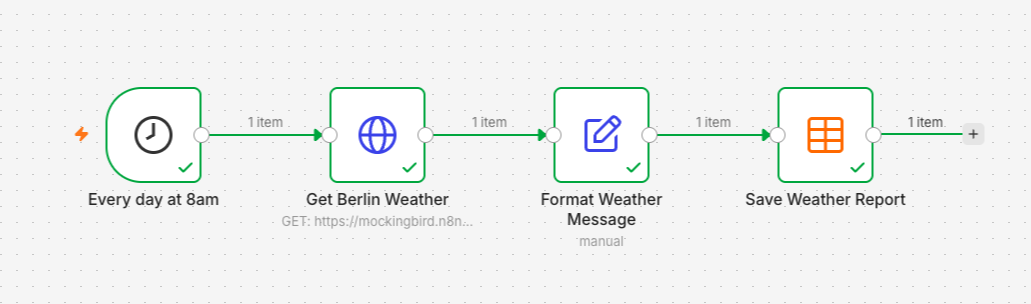
Connect triggers, API requests, and data tables into automated workflows by dragging and dropping nodes—no coding required.
n8n is a workflow automation tool where users build processes on a visual canvas using nodes: scheduled triggers or similar serve as the starting point, HTTP Request nodes call external API, nodes like Edit Fields (Set) transform data, and results are stored in built-in data tables. The official beginner tutorial walks through a complete workflow that fetches the weather in Berlin every morning at 8 o'clock and generates a briefing—takes about 15 minutes, and apart from the n8n example, no API keys or programming experience are needed. Ideal for teams and individuals who want to chain web APIs and internal data processing into scheduled tasks.
Key concepts of the tool: 1) Triggers determine when a workflow starts—on a schedule (e.g., daily at 8 o'clock), on form submission, or on messages from apps like Telegram; 2) Nodes are chained together, each performing one task and passing results to the next node—the previous node's output becomes the next node's input; 3) Expressions (like {{ $json.city }}) let users replace values at runtime simply by dragging fields, with no code required; 4) Data tables save records from each run, forming a log. Mockingbird, used in the tutorial for data fetching, is a sample API provided by n8n for teaching purposes, covering weather for about 40 European cities—other cities return errors. There's also a n8n Assistant in Preview that can generate workflow copies from natural language prompts; it may change in future versions.
Operations, development, and data staff who need to chain scheduled tasks, API data fetching, data formatting, and storage together; the official tutorial is aimed at beginners with zero programming experience who can get started without any API keys.
Log into your n8n instance (n8n Cloud or self-hosted) in a browser, select Personal on the left, click Create workflow, and name it.
Click Add first step, choose On a schedule, set Trigger at Hour to 8am, and rename the trigger node.
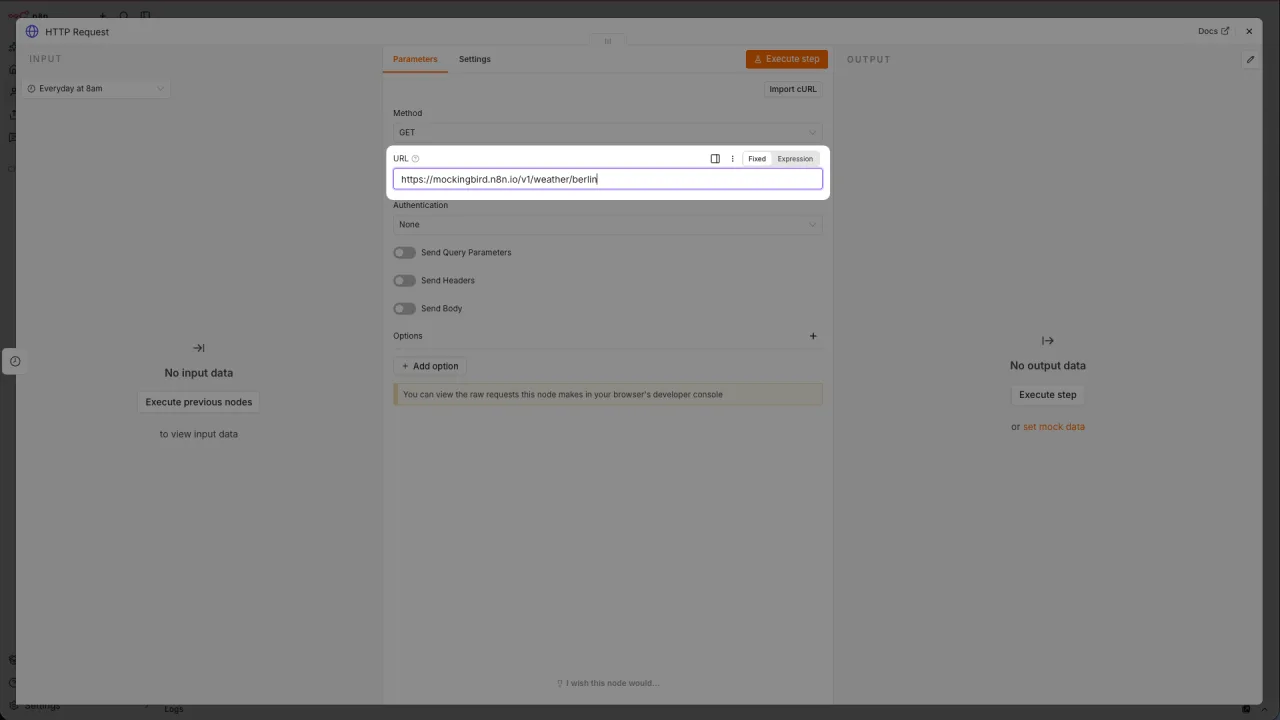
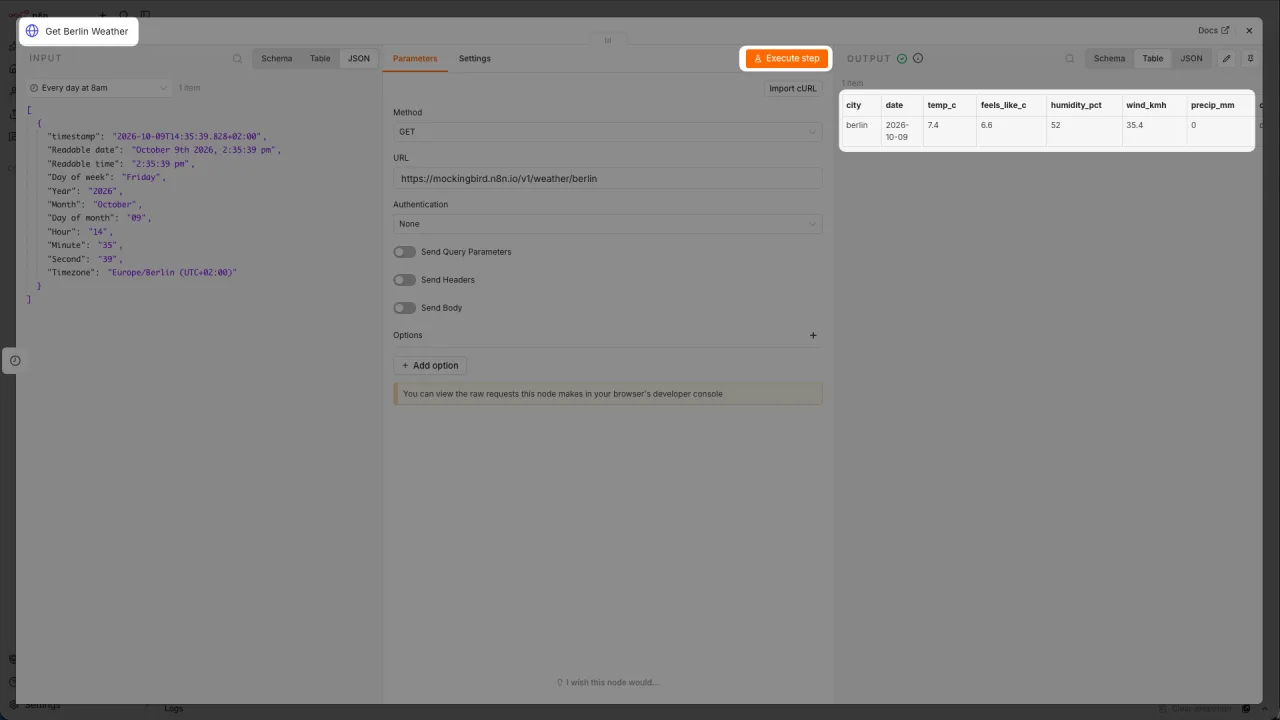
After the trigger, add an HTTP Request node, enter the weather API URL in the URL field, and execute the node to view the returned data.
Add an Edit Fields (Set) node, create new fields with Add Field, and drag fields like city, temp_c, and condition to build expressions that generate readable text.
Create a data table under Personal and add columns, then add a Data table node to the workflow, select Insert row, and choose Map Automatically for the mapping method.
Click Execute workflow to test; once you confirm new rows are added to the data table, select Publish at the top of the canvas to put the scheduled task live.
Optional: use the n8n Assistant with a prompt to generate a workflow copy, approve its actions step by step, then test the run.
You first need a n8n instance: sign up for a free n8n Cloud trial, or self-host following the official host n8n guide. The official beginner tutorial itself requires no extra accounts, API keys, or programming experience; the Mockingbird sample API only covers about 40 European cities—other cities return errors. The n8n Assistant is in Preview, and its availability and features may change; check the official page to confirm.
费用与套餐:以官网当前说明为准,本站不提供套餐价格保证。