

CodeBuddy
腾讯云AI code review plugin for VS Code and JetBrains — enter /cr or select code to automatically review and generate commit messages.
An agent plugin that infuses GitHub Copilot CLI and Claude Code with the latest WinUI 3 and Windows App SDK knowledge.
This plugin targets developers building Windows apps in the terminal with GitHub Copilot CLI or Claude Code, injecting WinUI 3 rules as custom instructions to prevent AI coding agents from suggesting outdated or deprecated API. It ships with a dedicated winui-dev agent and 8 professional skills covering the full development loop: environment setup, scaffolding, build, run, test, code review, MSIX packaging, and WPF-to-WinUI 3 migration. The plugin does not integrate with the VS Code Copilot chat assistant, and prerequisites such as the Windows App Development CLI must be in place before installation.
The core problem it solves is that AI training data contains far more historical Windows examples than current WinUI 3 content, so agents default to deprecated API; the plugin overrides this default behavior by injecting explicit WinUI 3 rules. The winui-dev agent loads winui-design and winui-dev-workflow by default, which is enough to cover most build requests end-to-end, and calls other skills on demand. The 8 skills are: winui-setup (installs and verifies .NET SDK, WinApp CLI, WinUI 3 templates, and Developer Mode; must be explicitly run with /winui-setup, the agent will not load it automatically), winui-dev-workflow (the scaffold → build → run → iterate loop), winui-design (generates XAML layouts with WinUI 3 controls and Fluent Design), winui-code-review (checks coding standards and flags anti-patterns), winui-ui-testing (generates UI tests with Windows UI Automation), winui-packaging (MSIX packaging, signing, and Store submission guidance), winui-wpf-migration (API-level mapping to migrate WPF code to WinUI 3), and winui-session-report (summarizes session content and suggests next steps).
Developers using GitHub Copilot CLI or Claude Code in the terminal for WinUI 3 / Windows App SDK development, and teams migrating WPF code to WinUI 3.
First install the Windows App Development CLI (winget install Microsoft.winappcli --source winget).
For GitHub Copilot CLI, install GitHub CLI (winget install GitHub.cli), the Copilot extension (gh extension install github/gh-copilot), and have a GitHub Copilot subscription.
Run gh copilot plugin install winui@awesome-copilot to install the plugin, and verify with gh copilot plugin list.
For Claude Code, run claude plugin marketplace add microsoft/win-dev-skills and claude plugin install winui@win-dev-skills.
Include the @winui-dev agent in your prompt to make requests, e.g., ask the AI to build a WinUI 3 app that lists files in a folder.
Explicitly run the /winui-setup skill when you need to configure the development environment.
In interactive sessions (the copilot or Claude Code chat interface), continue follow-up requests with the @winui-dev prefix.
Installation requires the Windows App Development CLI; the GitHub Copilot CLI path needs GitHub CLI, the gh-copilot extension, and a GitHub Copilot subscription. The plugin is installed globally to ~\.copilot\installed-plugins\. It currently does not integrate with the VS Code Copilot chat assistant. The plugin ID differs between the two registries: winui@awesome-copilot for GitHub Copilot CLI and winui@win-dev-skills for Claude Code.
费用与套餐:以官网当前说明为准,本站不提供套餐价格保证。
AI code review plugin for VS Code and JetBrains — enter /cr or select code to automatically review and generate commit messages.
A coding assistant plugin that provides AI-powered technical chat and code completion in mainstream IDEs such as VS Code and Visual Studio.
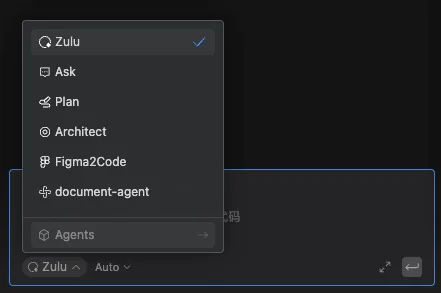
Build custom agents in the Comate coding assistant, enabling controllable, dedicated workflows through roles, skills, tools, and behavior rules.
A collection of Skills for AI Agents providing Ark document retrieval, model performance benchmarking, model migration analysis, and Seedance prompt optimization.