

CodeBuddy
腾讯云AI code review plugin for VS Code and JetBrains — enter /cr or select code to automatically review and generate commit messages.
Describe your requirements in natural language, and a coding Agent generates the code and deploys web apps, mobile apps, mini programs, or skills.
Coze (coze.cn) packages the core capabilities of the Coze coding platform into a coding Agent, providing a cloud-based AI coding development environment. Users need no locally installed development tools—simply describe the app's features, interface, and business logic in natural language, and the Agent handles requirements analysis, generates front-end and back-end code, runs previews, fixes issues, and supports one-click deployment, covering four project types: web, App, mini program, and skill. The environment includes a built-in code editor, Web terminal, and isolated cloud sandboxes, and supports multi-user collaborative development. Development, model invocation, and other services as well as online hosting consume Coze credits. Starting 2026 9, 8, Coze no longer supports creating new coding projects; development and deployment must be completed by invoking the coding development and deployment/ops plugins within an Agent.
The AI coding capability in Coze is powered by Coze Coding (code.coze.cn). If you only need to quickly build web pages, App prototypes, or mini program pages, you can use the AI coding capability directly in Coze; for complete project management, integration configuration, a professional development workbench, or for developing more complex AI artifacts such as agents and workflows, the official recommendation is to use Coze Coding instead.
Core development environment tools: a built-in code editor supporting multiple programming languages (syntax highlighting, code formatting); a Web terminal emulating a Linux terminal, capable of running commands such as npm and python; and an isolated cloud sandbox created for each project, containing the operating system, dependencies, and resources required to run code, with real-time preview support. AI is deeply embedded throughout the development workflow, providing code generation, code completion, intelligent error correction, and other capabilities.
For multi-user collaboration, the project owner can enable collaboration and invite members of the current workspace to join; when multiple collaborators submit requests simultaneously, the system coordinates the processing order via a message queue to avoid conflicts from concurrent conversations.
Creators, product and business users who want to skip setting up a local development environment and quickly generate web/App/mini program prototypes via natural language, as well as developers who need to collaboratively iterate on small projects in the cloud with their team; users who require full project management or need to develop complex AI artifacts such as agents and workflows are advised by the official guidance to use the Coze Coding platform instead.
Create a new coding project and enter the project development page.
Enter the app's features, interface design, business logic, and other requirements clearly and in detail into the coding Agent.
Wait for the Agent to analyze the requirements and generate front-end and back-end code, then experience and debug the project in the preview tab on the right.
(Optional) The project owner enables collaboration and invites workspace members to develop together.
Interact with the coding Agent in the conversation area to iteratively modify code and integrate AI capabilities, databases, and storage solutions.
Deploy the project to the production environment, completing one-click cloud packaging, building, and service deployment.
Requires a Coze (coze.cn) account; runs in the cloud with no need to install software or dependencies locally. Starting 2026 9, 8, creating new coding projects is no longer supported; you can invoke the coding development plugin and deployment/ops plugin in an Agent to complete web, App, and mini program development and deployment. Existing coding projects are unaffected. Multi-user collaboration is limited to members of the current workspace. For specific credit consumption and regional restrictions, consult the official pricing documentation.
费用与套餐:Developing, testing, deploying, and running AI coding projects online consumes Coze credits, including: coding tasks (each round of conversation with the coding Agent), built-in integrations (invoking built-in services such as LLMs, web search, and image generation), and service hosting fees (hosting charges incurred by deploying as online services). For credit pricing details, consult the official pricing documentation; prices are not guaranteed to remain unchanged over time.
AI code review plugin for VS Code and JetBrains — enter /cr or select code to automatically review and generate commit messages.
A coding assistant plugin that provides AI-powered technical chat and code completion in mainstream IDEs such as VS Code and Visual Studio.
An agent plugin that infuses GitHub Copilot CLI and Claude Code with the latest WinUI 3 and Windows App SDK knowledge.
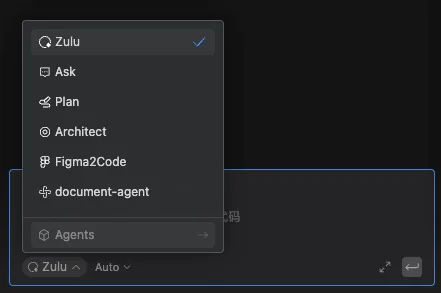
Build custom agents in the Comate coding assistant, enabling controllable, dedicated workflows through roles, skills, tools, and behavior rules.