

CodeBuddy
腾讯云AI code review plugin for VS Code and JetBrains — enter /cr or select code to automatically review and generate commit messages.
The official command-line tool for completing Volcano Ark authentication, model invocation, inference deployment, and billing queries using natural language in a local terminal or AI Agent.
Ark CLI is the official command-line tool for the Volcano Ark platform, supporting login authentication and resource management in a local terminal. It can also be installed as a Skill into popular AI Agents such as Claude Code, Cursor, TRAE, and Gemini CLI, enabling model invocation, inference endpoint management, image and video generation, content generation, and usage/billing queries triggered via natural language. It requires Node.js 16 or above, can be installed globally via NPM, and is well-suited for developers and teams who need to interact with the Ark platform.
Core capabilities cover authentication and identity (arkcli auth, profile, with multi-Profile switching and API Key management), chat and inference (multimodal, multi-turn, streaming output, arkcli +chat), image/video generation (arkcli +gen), multimodal understanding (arkcli +understand), model discovery (arkcli models), inference resources and deployment (arkcli infer, +deploy), model fine-tuning (arkcli train, covering SFT, LoRA, DPO, and RL training with data validation, hyperparameter, and cost preview), Managed Agents management (arkcli agent), documentation search (arkcli docs), usage statistics (arkcli usage), billing and pricing (arkcli billing, pricing), plans and seats (arkcli plans), Agent integration (arkcli +connect), code examples (arkcli +code-example), and diagnostics (arkcli doctor, which can verify the origin of image/video outputs). Commands follow three structures: shortcut commands, domain commands, and raw API invocations, with global flags such as --api-key, --base-url, --dry-run, --profile, --region, and --format json.
Developers using the Volcano Ark platform, algorithm engineers, and technical team members who need to manage model invocations, inference endpoints, and billing usage.
Confirm that Node.js 16 or above is installed on your machine.
Run npm install -g @volcengine/ark-cli in the terminal to install, and verify with arkcli --version.
Run arkcli auth login volc-sso to log in through the browser via Volcano SSO, or use arkcli auth login --no-browser for browserless/remote terminals.
Run arkcli +connect to install the Ark CLI Skill into popular AI Agents (such as Claude Code, Cursor, TRAE, etc.).
After restarting the AI Agent, issue requests in natural language, such as querying models, checking usage, generating images/videos, or deploying Endpoints.
To uninstall the Skill, run arkcli +connect uninstall.
Environment requirement: Node.js >= 16. Login supports two methods: Volcano SSO browser login (recommended) and --no-browser login for browserless/remote terminals. The Skill can be installed into AI Agents such as Claude Code, Codex, Cursor, TRAE, and Gemini CLI. Specific plan fees and account permissions are subject to the official website.
费用与套餐:According to the official documentation, usage statistics supports querying free quota or resource package balances, and plans and seats support querying, purchasing, and renewing Agent Plan / Coding Plan. Specific prices are subject to the official website.
AI code review plugin for VS Code and JetBrains — enter /cr or select code to automatically review and generate commit messages.
A coding assistant plugin that provides AI-powered technical chat and code completion in mainstream IDEs such as VS Code and Visual Studio.
An agent plugin that infuses GitHub Copilot CLI and Claude Code with the latest WinUI 3 and Windows App SDK knowledge.
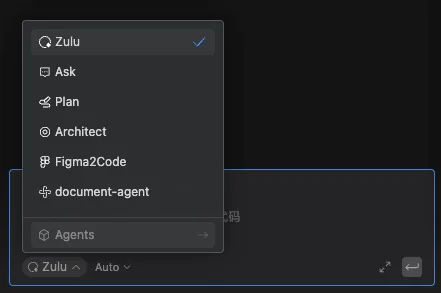
Build custom agents in the Comate coding assistant, enabling controllable, dedicated workflows through roles, skills, tools, and behavior rules.