

CodeBuddy
腾讯云AI code review plugin for VS Code and JetBrains — enter /cr or select code to automatically review and generate commit messages.
Use natural language to have Coze call a coding AI to create, debug, and deploy web apps — no local IDE required.
Coze CLI is the built-in AI coding tool on the Coze platform: users describe their requirements in natural language within a Coze conversation, and Coze calls a coding AI to generate the project structure, write page code, install dependencies, and complete the build. During development, you get an online preview link and can continuously iterate on content and styling in the original project, manage sensitive configurations such as the API Key through environment variables, and once you confirm the result, deploy to the production environment and bind a custom domain. The tutorial demonstrates the complete workflow of building a product landing page, making it ideal for users unfamiliar with frontend frameworks like React to quickly build single-page web apps; development and deployment time will vary depending on requirement complexity.
Capabilities verified from the tutorial:
- Project types: Beyond web apps, Coze CLI also supports creating projects of different types such as Apps, Mini Programs, Agents, Workflows, and Skills (the source notes that this tutorial only uses web apps as an example).
- Development workflow: Create a web project via natural language and track development tasks; get an online preview; use models, tools, and Skills to extend project capabilities; manage sensitive configurations through environment variables; deploy the production version and view deployment status and history; use AI to analyze and fix deployment issues.
- Environment requirements: Open coze.cn and log in to Coze — Coze CLI is pre-installed, no need to set up a development environment yourself; first-time use will guide you through account authorization, and created projects are saved under your Coze account.
- Modification and debugging: When you find issues, simply request changes in the current conversation and iterate on the original project — no need to recreate the project; you can send local files such as error logs and requirement documents to the coding AI as development context.
- Deployment: Before deploying, confirm that development tasks have been completed; if deployment fails, you can check deployment status and history or hand the deployment logs to AI for analysis and fixes. Common causes of failure include unfinished development tasks, no valid code commits, or missing/incomplete production environment variables.
- Domains: Before binding a custom domain, you must own the domain and complete ICP filing as required in your region.
Users who want to quickly create and launch web apps via natural language without downloading an IDE or knowing frontend frameworks like React; users with existing code or who need to save business data can refer to the corresponding advanced tutorials.
Open coze.cn and log in to Coze; on first use, complete account authorization as guided.
In the conversation, describe the page's purpose, displayed content, visual style, and delivery requirements to create a web app project.
Get the online preview link and check content completeness, interactions, visual effects, and desktop/mobile adaptation.
When you find issues, directly request changes, new features, style adjustments, or bug fixes in the current conversation and iterate on the original project.
When configurations such as API Key are needed, have Coze set them as project environment variables rather than writing them into code or the conversation.
After confirming that development tasks have been completed, have Coze deploy the project to the production environment via Coze CLI.
After deployment, open the live URL to verify the result; if it fails, have AI analyze the deployment logs and fix issues; if needed, bind an ICP-filed custom domain.
Prerequisites: Log in to your Coze account and complete Coze CLI account authorization; projects are saved under your Coze account. Coze CLI is pre-installed, so no development environment setup is required. Binding a custom domain requires owning the domain and completing ICP filing as required in your region. If the first development task exceeds 3 minutes, you can ask about the project status instead of creating a duplicate. Pricing information is not stated on this page; please refer to the Coze pricing documentation for verification.
费用与套餐:以官网当前说明为准,本站不提供套餐价格保证。
AI code review plugin for VS Code and JetBrains — enter /cr or select code to automatically review and generate commit messages.
A coding assistant plugin that provides AI-powered technical chat and code completion in mainstream IDEs such as VS Code and Visual Studio.
An agent plugin that infuses GitHub Copilot CLI and Claude Code with the latest WinUI 3 and Windows App SDK knowledge.
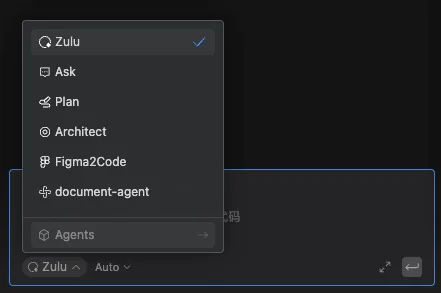
Build custom agents in the Comate coding assistant, enabling controllable, dedicated workflows through roles, skills, tools, and behavior rules.