

CodeBuddy
腾讯云AI code review plugin for VS Code and JetBrains — enter /cr or select code to automatically review and generate commit messages.
AI coding assistant features in Visual Studio Code for analyzing, explaining code, and generating inline documentation and project documentation.
GitHub Copilot in Visual Studio Code offers multiple code explanation and documentation features: the chat view's Ask, Plan, and Agent modes can analyze the entire workspace; Inline Chat is used to explain or document specific code segments; Smart Actions can explain selected code without writing a prompt. For documentation generation, it can suggest or automatically create inline code documentation, as well as generate project documentation such as README.md, UsageExamples.md, and ChangeLog.md. Note that in Agent mode, each user-entered prompt is counted against premium request usage based on the selected model's multiplier, with 50 requests per month on the Free plan.
The features fall into three categories:
1. Analyzing and explaining code: Ask mode (chat view analyzes the entire workspace), Inline Chat (launched directly from the editor, targeting specific code segments), Smart Actions (explains selected code without needing to write a prompt), and Quick Chat (ask a simple question and keep working).
2. Inline code documentation: Ask Agent mode suggests inline documentation in the chat view, which can be updated on request and then inserted into code files; Plan mode can analyze the codebase and develop a step-by-step documentation plan; Agent mode can automatically generate inline documentation for a specified project, file, class, or method, after which you accept or reject the changes.
3. Project documentation: Ask agent analyzes the codebase and previews suggested documentation, inserting README.md; the Agent mode chat window can create/update README.md, UsageExamples.md, and ChangeLog.md, while maintaining consistency and cross-references across documents.
Developers who need to understand complex or unfamiliar code in Visual Studio Code and generate documentation for classes, methods, or projects.
Open a code workspace in Visual Studio Code.
Use Ask mode in the chat view to analyze the entire workspace or ask coding questions.
Use Inline Chat or Smart Actions on specific code segments to get explanations.
Use Ask Agent mode to generate inline documentation suggestions for code files, classes, or methods, review them, and insert them into code files.
When needed, use Plan mode to develop an execution plan for documentation tasks, then hand it off to Agent mode.
Use Agent mode to batch-create or update project documentation such as README.md, UsageExamples.md, and ChangeLog.md, and review the updates.
The features are used within the Visual Studio Code environment; Agent mode consumes premium request quota, with specific limits depending on the subscription plan—see the official plan documentation.
费用与套餐:Source note: The GitHub Copilot Free plan includes 50 paid (premium) requests per month; in Agent mode, only prompts entered by the user are billed, and subsequent actions are not counted; premium request limits for each subscription can be found in the plan documentation.
AI code review plugin for VS Code and JetBrains — enter /cr or select code to automatically review and generate commit messages.
A coding assistant plugin that provides AI-powered technical chat and code completion in mainstream IDEs such as VS Code and Visual Studio.
An agent plugin that infuses GitHub Copilot CLI and Claude Code with the latest WinUI 3 and Windows App SDK knowledge.
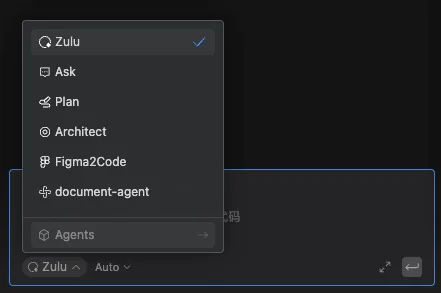
Build custom agents in the Comate coding assistant, enabling controllable, dedicated workflows through roles, skills, tools, and behavior rules.