

CodeBuddy
腾讯云AI code review plugin for VS Code and JetBrains — enter /cr or select code to automatically review and generate commit messages.
An AI coding assistant providing code completion, Q&A, and agentic code editing in IDEs, chat, and the terminal.
GitHub Copilot is an AI coding assistant for individuals and organizations. By entering natural language questions or code context, you can receive autocomplete suggestions, code-related Q&A, code review suggestions, and pull request summaries; agent mode can automatically modify files and iterate to complete tasks, while cloud agents can turn GitHub issues into pull requests. Available features depend on your subscription plan and whether you use it as an individual or organization, and some features are in public preview. It suits developers working in supported IDEs, on the GitHub website, on mobile, and in the terminal.
Code completion: Autocomplete-style suggestions are available in Visual Studio Code, Visual Studio, JetBrains IDEs, Azure Data Studio, Xcode, Vim/Neovim, and Eclipse; VS Code also supports "Next Edit Suggestions," which predicts the location of your next edit.
Chat: GitHub Copilot Chat is available on the GitHub website, GitHub Mobile, supported IDEs (VS Code, Visual Studio, JetBrains IDEs, Eclipse, Xcode), and Windows Terminal; GitHub skills are not included in the free plan.
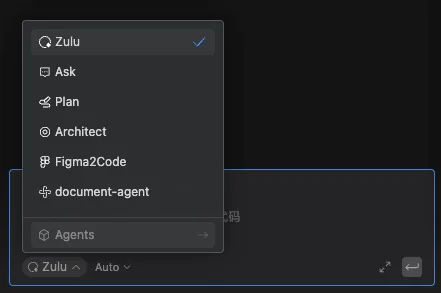
Agents: The VS Code chat panel includes three built-in agents—"Agent," "Plan," and "Ask"—where Agent automatically decides which files to modify, provides code changes and terminal commands, and iterates to fix issues; the Plan agent breaks requests into steps and produces an implementation plan; Ask is for asking about the codebase or technical concepts without modifying files.
Code review and summaries: AI code review suggestions help improve code; AI-generated pull request summaries explain changes and review focus. This feature is not included in the free plan.
Cloud agents: You can assign GitHub issues to Copilot, and the agent completes the changes and creates a pull request for review; this feature is available for Pro, Pro+, Business, and Enterprise plans.
CLI: A chat-style interface in the terminal where you can ask command-line questions and get command suggestions or explanations; it can also be integrated into Windows Terminal Canary.
Extensions and context: GitHub Copilot extensions can be developed by anyone and shared via GitHub Marketplace; custom instructions strengthen responses by providing context on your preferences and needs; Memory (public preview) can infer and store repository information; Spaces bring together code, documentation, and specifications to ground responses; GitHub Desktop can automatically generate commit messages and descriptions based on project changes.
Individual developers using supported IDEs such as Visual Studio Code, Visual Studio, JetBrains IDEs, Xcode, and Eclipse, as well as teams with organizational subscriptions; maintainers who want to automate turning issues into pull requests can also use cloud agents.
Confirm your GitHub Copilot plan and feature availability (features depend on plan and individual/organization identity).
Install or enable GitHub Copilot in a supported IDE to receive code autocomplete suggestions.
Ask code-related questions in the chat interface, or use the built-in agents for automatic code editing, plan breakdown, or Q&A-only tasks.
Assign GitHub issues to the Copilot cloud agent, which completes the changes and creates a pull request for review.
Use GitHub Copilot CLI in the terminal to ask command-line questions or get command suggestions.
For richer context, use custom instructions, Memory, or Spaces to organize code, documentation, and specifications.
Available features depend on the subscription plan and whether you use it as an individual or organization; some features (such as GitHub Copilot Memory) are in public preview; GitHub skills and pull request summaries are not included in the free plan; other regional or account restrictions are not mentioned in the source and should be verified on the official website.
费用与套餐:The source mentions that the free plan does not include GitHub skills or pull request summaries, and that cloud agents are available for GitHub Copilot Pro, Pro+, Business, and Enterprise plans; full pricing and plan details should be verified on the official website.
AI code review plugin for VS Code and JetBrains — enter /cr or select code to automatically review and generate commit messages.
A coding assistant plugin that provides AI-powered technical chat and code completion in mainstream IDEs such as VS Code and Visual Studio.
An agent plugin that infuses GitHub Copilot CLI and Claude Code with the latest WinUI 3 and Windows App SDK knowledge.
Build custom agents in the Comate coding assistant, enabling controllable, dedicated workflows through roles, skills, tools, and behavior rules.