

CodeBuddy
腾讯云AI code review plugin for VS Code and JetBrains — enter /cr or select code to automatically review and generate commit messages.
An Agentic coding plugin inside JetBrains IDEs, offering code completion, intelligent Q&A, and autonomous agents.
Qoder is an Agentic coding platform built for real-world software development. Its plugin embeds into JetBrains IDEs, letting developers use AI Agent coding in a familiar environment. Inputs can be natural-language goals, code snippets, or error messages; outputs include code suggestions, debugging guidance, or multi-file modifications. Core capabilities include codebase-aware completion, conversational Q&A, and an Agent mode that can plan and execute autonomously, with context customization via MCP and project rules. It suits everyday coding, debugging, and refactoring scenarios, and requires JetBrains IDE 2020.3 or later plus a registered account.
For code suggestions, Qoder's completion engine goes beyond single-file analysis, delivering suggestions based on the codebase, dependencies, and existing patterns—covering full function generation, inline next-suggestion prediction (NEXT), and architecture-consistent recommendations. The intelligent Q&A mode combines a technical documentation knowledge base with real-time understanding of project code, useful for debugging code, troubleshooting runtime errors, explaining API concepts, and discussing implementation approaches. Agent mode lets you describe goals in natural language; the agent breaks them into steps and executes autonomously, integrating codebase search, file reading and editing, and an integrated terminal (capable of running commands like npm install and git commit)—ideal for building new features, writing unit tests, and large-scale refactoring. For customization, you can create project-specific rule configurations in the .qoder/rules directory and connect external data sources such as internal documentation, private API, or database schemas via MCP. Requirements are a JetBrains IDE 2020.3 or later; the plugin runs fully in both local and remote development environments (SSH, WSL, Dev Containers).
Developers using JetBrains IDEs (IntelliJ IDEA, Android Studio, PyCharm, GoLand, CLion, etc.) for software development, debugging, and refactoring, including individual developers and enterprise development teams.
Install the Qoder plugin in your JetBrains IDE (2020.3 or later).
Register a Qoder account and log in to receive initial Credits.
Use code completion and NEXT inline suggestions to finish functions and code blocks while coding.
When you run into problems, open the intelligent Q&A mode and paste code snippets and error messages to get debugging guidance or concept explanations.
Describe complex multi-step tasks (such as new features, unit tests, or large-scale refactoring) to Agent mode in natural language, and let it plan and execute them end to end.
Configure project rules in .qoder/rules as needed, and connect internal documentation, private API, or database schemas via MCP to provide additional context.
Requires JetBrains IDE 2020.3 or later; the plugin is fully compatible with local and remote development environments (including SSH, WSL, and Dev Containers). After registering an account, you receive 300 Credits; additional usage requires purchasing a plan. Other regional or device restrictions are not stated by the source—check the official website.
费用与套餐:以官网当前说明为准,本站不提供套餐价格保证。
AI code review plugin for VS Code and JetBrains — enter /cr or select code to automatically review and generate commit messages.
A coding assistant plugin that provides AI-powered technical chat and code completion in mainstream IDEs such as VS Code and Visual Studio.
An agent plugin that infuses GitHub Copilot CLI and Claude Code with the latest WinUI 3 and Windows App SDK knowledge.
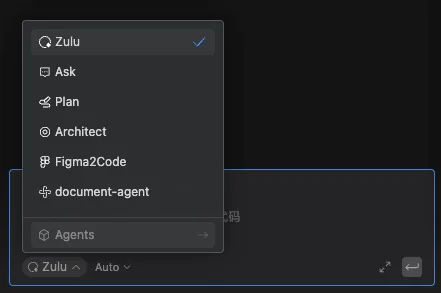
Build custom agents in the Comate coding assistant, enabling controllable, dedicated workflows through roles, skills, tools, and behavior rules.