

CodeBuddy
腾讯云AI code review plugin for VS Code and JetBrains — enter /cr or select code to automatically review and generate commit messages.
Batch-create and dynamically update TRAE content security moderation policies via Volcano EngineAPI, and complete effect verification.
TRAE content security policy configurationAPI is an enterprise-grade content moderation policy configuration API provided by Volcano Engine. Inputs include policy name, business scenario identifier, moderation scenarios (pornography, politics, violence, ads), interception level, custom word libraries, and callback URL; the output is a unique policy ID for subsequent moderation API calls to take effect. It is suitable for content platforms with daily call volumes above 10 that need batch configuration and dynamic rule updates, as well as enterprises integrating moderation capabilities into their own CMS or live-streaming moderation systems. Not applicable: small sites with daily call volumes below 100 and businesses needing only basic text/image moderation—these can directly use the console or the general content securityAPI.
Key parameters and limits: each account can create up to 50 policies by default, submittable via ticket to increase to 200; a policy normally takes effect within 10 seconds, and in extreme cases no longer than 1 minutes; each policy update generates a version record, with up to the most recent 10 versions retained, rollback available via console or API; policies currently in use cannot be deleted directly—associated business traffic must be switched first; custom sensitive word libraries take priority over system rules, and high-risk keyword hits are intercepted directly. Common errors: SDK package not found during installation—switch to the official Volcano Engine PyPI source; 403 PermissionDenied—check permissions or region; 404 PolicyNotFound—check the policy ID and creation region. This document is based on TRAE content security API v1.2, production date 2026-08-28.
Enterprise developers with development capabilities who need to batch-configure and automatically update content moderation policies, and content platform / short-video & live-streaming operations teams
Install the official Volcano Engine SDK (Python v0.2.1 or Node.js v1.1.0), using the official PyPI source.
In the IAM console, confirm the account has ContentSecurityFullAccess permission, and configure AK/SK and region (e.g., cn-beijing) for signature authentication.
Construct the policy configuration request parameters, including PolicyName, BizType, Scenes, InterceptLevel, CustomWordLibIds, and CallbackUrl.
Call the CreateContentSecurityPolicy API to submit the configuration and obtain the returned policy ID starting with policy_.
Send a test moderation request with the policy ID and verify that the returned RiskLevel and InterceptResult match the configuration.
If interception results don't match, check the interception level and moderation scenario associations; policy updates may take up to 1 minutes to take effect—recommend waiting 30 seconds before switching traffic.
Requires an enterprise account with Volcano Engine TRAE content security service activated and ContentSecurityFullAccess permission; development environment requires Python 3.9+ or Node.js 16+, with SDK versions Volcano Engine Python SDK v0.2.1 / Node.js SDK v1.1.0; the region parameter must match the region where the service is actually activated; for business data stored overseas requiring local compliance retention, use the local content security service in the corresponding region.
费用与套餐:以官网当前说明为准,本站不提供套餐价格保证。
AI code review plugin for VS Code and JetBrains — enter /cr or select code to automatically review and generate commit messages.
A coding assistant plugin that provides AI-powered technical chat and code completion in mainstream IDEs such as VS Code and Visual Studio.
An agent plugin that infuses GitHub Copilot CLI and Claude Code with the latest WinUI 3 and Windows App SDK knowledge.
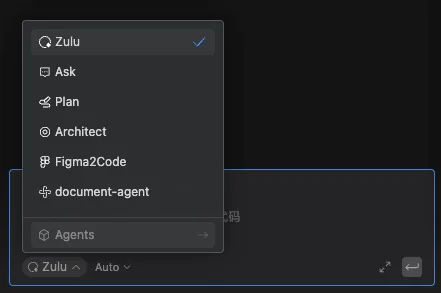
Build custom agents in the Comate coding assistant, enabling controllable, dedicated workflows through roles, skills, tools, and behavior rules.